If you type for hours, “comfort” isn’t a luxury—it’s what keeps your hands from feeling cooked by the end of the day.
The right mechanical keyboard should feel smooth, stable, and easy on your wrists, without sounding like a construction site.
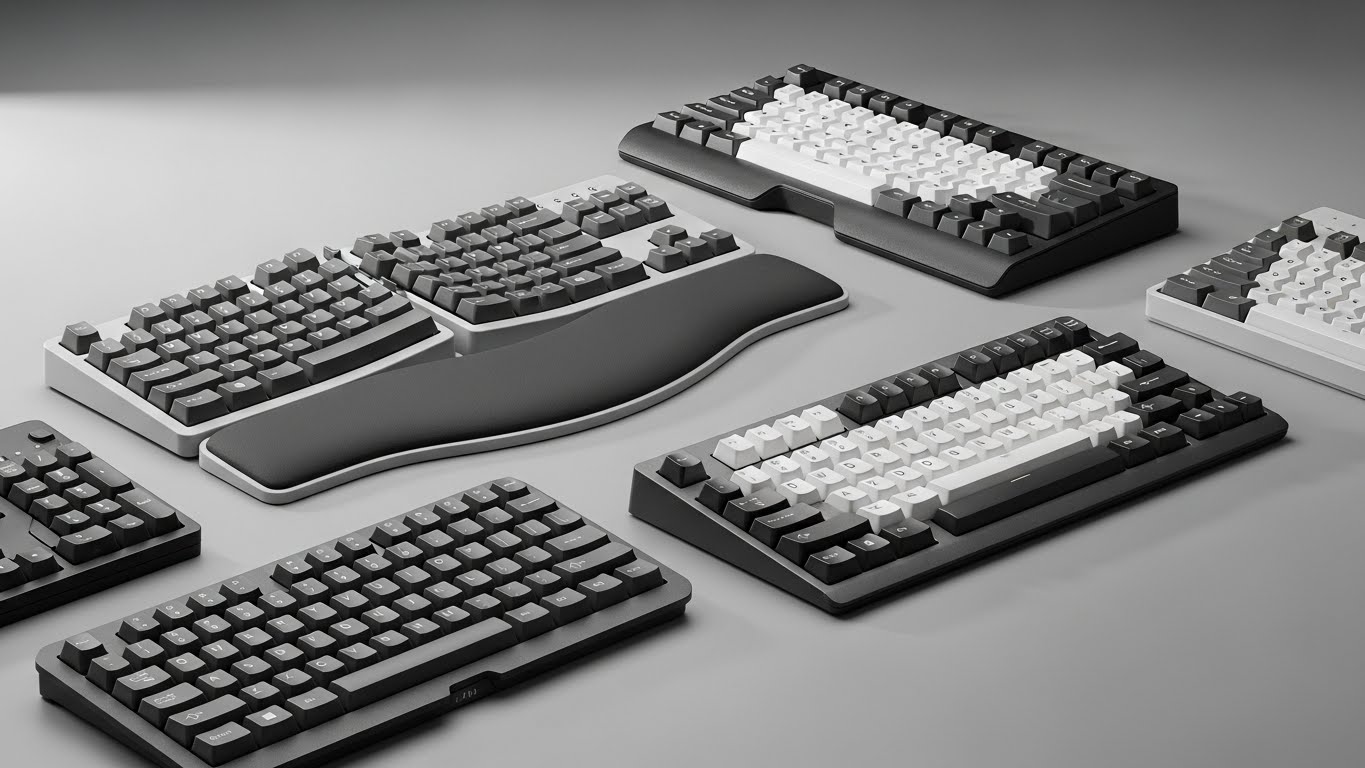
Here are four typing-friendly mechanical keyboards (in order), with honest pros/cons and who each one fits best.
What makes a keyboard comfortable for typing?
- Switch feel: Tactile switches help accuracy; linear switches feel smooth; clicky switches are usually the loudest.
- Sound + cushioning: Gasket mount + internal padding can make typing feel softer and less harsh.
- Keycap profile: Rounded profiles (like MOA) can feel cozy for long sessions.
- Layout: 75% layouts save desk space but keep arrows; full-size adds numpad but stretches your arms more.
- Wrist support: A good palm rest can reduce wrist extension and fatigue.
Top picks for typing comfort (with honest notes)
1) YUNZII C75 Wireless Mechanical Keyboard (75% Layout)

What it is: A compact 75% wireless mechanical keyboard built for a softer, more “cushioned” typing vibe—thanks to gasket mounting and thick keycaps.
Standout comfort features
- Gasket mount for a less stiff, less harsh bottom-out feel
- Dye-sub PBT MOA keycaps (rounded, comfortable profile for long typing)
- Tri-mode connectivity: Bluetooth / 2.4G / USB-C
- Hot-swappable switches (easy to change switch feel later)
Pros
- Typing feel leans soft and pleasant, not stiff
- Great layout for productivity: compact but still practical
- Easy upgrade path (swap switches if you want quieter or more tactile)
Cons
- 75% layout has a learning curve if you’re used to full-size + dedicated keys
- If you prefer very “crisp”/rigid boards, gasket boards can feel too soft
This is the kind of board you can type on all day without feeling like you’re slamming keys into a hard table. The keycap profile also makes it feel more “cozy” than typical gamer boards.
2) MechLands Aula F75 PRO 75% Wireless Keyboard (Knob + Five-Layer Padding)
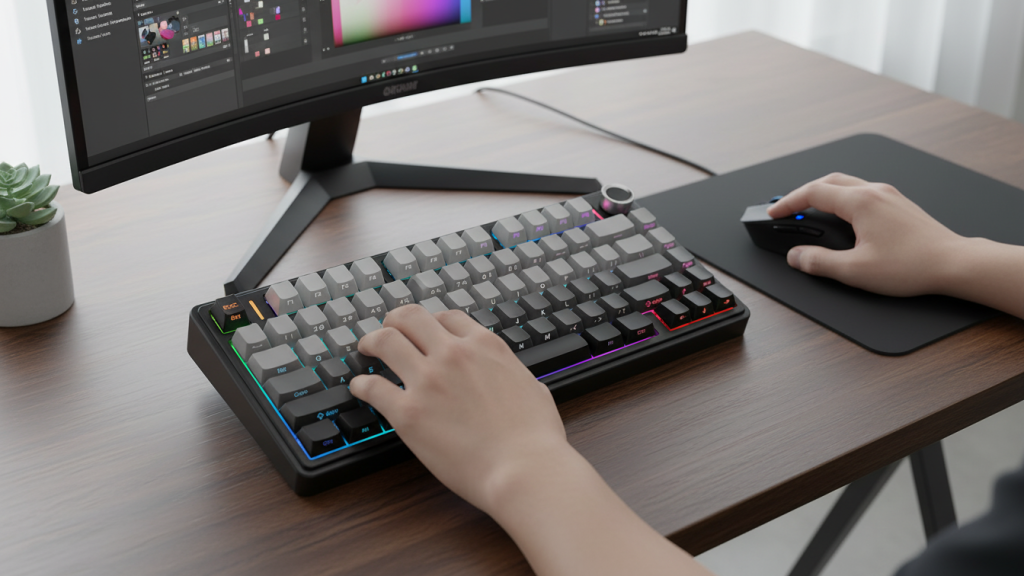
What it is: A 75% custom-style keyboard that leans into comfort and sound dampening, with extra padding and a knob (great for volume or quick control).
Standout comfort features
- Gasket structure + five-layer padding (aimed at smoother sound/feel)
- Knob control for volume/scroll or custom actions
- Tri-mode connectivity: Bluetooth / 2.4G / USB-C
- Hot-swappable (good for tuning typing feel)
Pros
- Soft, muted typing experience when you want less “clack”
- Knob is surprisingly useful for daily work
- Strong feature set for the price range
Cons
- “Custom keyboard” style boards can vary in switch feel depending on the included switches
- If you’re picky about key sound, you may still want to experiment with switches later
If you like a keyboard that feels “padded” and easy on the fingers, this one is a comfort-forward pick. The knob is also a small thing that ends up being used constantly.
3) 8BitDo Retro Mechanical Keyboard (87 Keys, Tri-Mode)

What it is: A retro-styled tenkeyless (87-key) mechanical keyboard that’s practical for typing while keeping your desk setup clean and centered.
Standout comfort features
- 87-key layout (TKL): keeps arrows and function row, removes numpad
- Tri-mode connectivity: Bluetooth / 2.4G / USB-C
- Hot-swappable for future switch upgrades
- Extra programmable buttons for shortcuts/macros
Pros
- TKL layout is a sweet spot for comfort (mouse sits closer to your body)
- Great for productivity shortcuts if you like macros
- Strong “work desk” vibe with fun design
Cons
- No numpad (not ideal if you do heavy number entry)
- Comfort depends a lot on your preferred switch type
TKL layouts can reduce shoulder and wrist strain because your mouse hand doesn’t reach as far. If you type and use the mouse constantly, this layout can feel noticeably better over time.
4) Logitech G715 Wireless Mechanical Keyboard (Tactile GX Brown + Palm Rest)
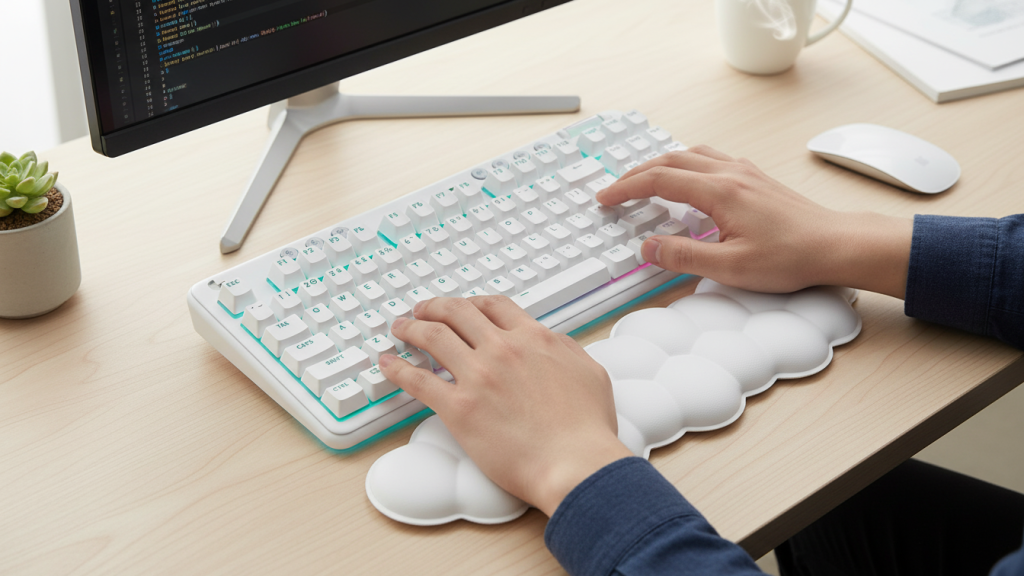
What it is: A premium wireless mechanical keyboard that’s comfortable out of the box—especially because it includes a palm rest and uses tactile switches that suit typing.
Standout comfort features
- Tactile switches (GX Brown): a solid middle ground for typing feedback without loud clicks
- Included palm rest: big comfort boost for long sessions
- LIGHTSPEED wireless + RGB ecosystem support
- Good fit-and-finish feel (more “polished” experience)
Pros
- Palm rest alone can make typing feel less fatiguing
- Tactile feel is great for accuracy and rhythm
- Premium build and consistent performance
Cons
- Higher price than the other picks
- If you want deep customization (like custom keyboards), Logitech’s ecosystem is more “locked-in”
If you want something that just feels comfortable immediately—no modding, no tinkering—the palm rest + tactile switches combo is a real win for long workdays.
Quick comparison (who should buy what?)
- Best overall typing comfort + value: YUNZII C75 (soft feel, comfy keycaps, great all-day board)
- Best “quiet, cushioned” custom-style feel: Aula F75 PRO (padding + knob = work-friendly)
- Best layout for mouse-heavy productivity: 8BitDo Retro (TKL 87-key) (keeps desk centered)
- Best premium comfort out of the box: Logitech G715 (palm rest + tactile switches)
My “optimal” pick
If your main goal is typing comfort (writing, office work, studying) and you want the best balance of feel + features + price:
✅ Pick #1: YUNZII C75 — it hits that smooth, less-fatiguing typing experience that most people notice immediately.
If wrist comfort is your biggest issue and you want a ready-to-go setup:
✅ Pick #4: Logitech G715 — the palm rest makes a bigger difference than most people expect.